
REMOTE DESKTOP SERVICE
Desktop as a Service (DaaS)
The TriSys Remote Desktop service is the perfect cloud solution for recruitment agencies looking for an all-in-one solution which streamlines productivity and reduces risks, fully integrated with
multi-factor authentication security.
Your TriSys Remote Desktop includes TriSys CRM, antivirus, dedicated company storage, daily backups and much more. You can even install your existing Microsoft 365 licensing and connect to your e-mail, manage documents and collaborate with your team.
The remote desktop is a high productivity all-in-one recruitment technology solution allowing recruiters to focus on their business.
You can connect to the TriSys remote desktop from any device such as a PC, tablet or mobile phone, so whilst the remote desktop is a windows cloud computer, you can use it from your Apple Mac, iPad or iPhone.
Product Screenshot
The remote desktop example below shows Microsoft Outlook with the TriSys Add-In, the Cloud drive, and TriSys Recruitment CRM:

Login via Web Browser
By logging into the TriSys support portal, you can start and connect to your cloud remote desktop by following the processes in the video below:
Login via Microsoft Windows
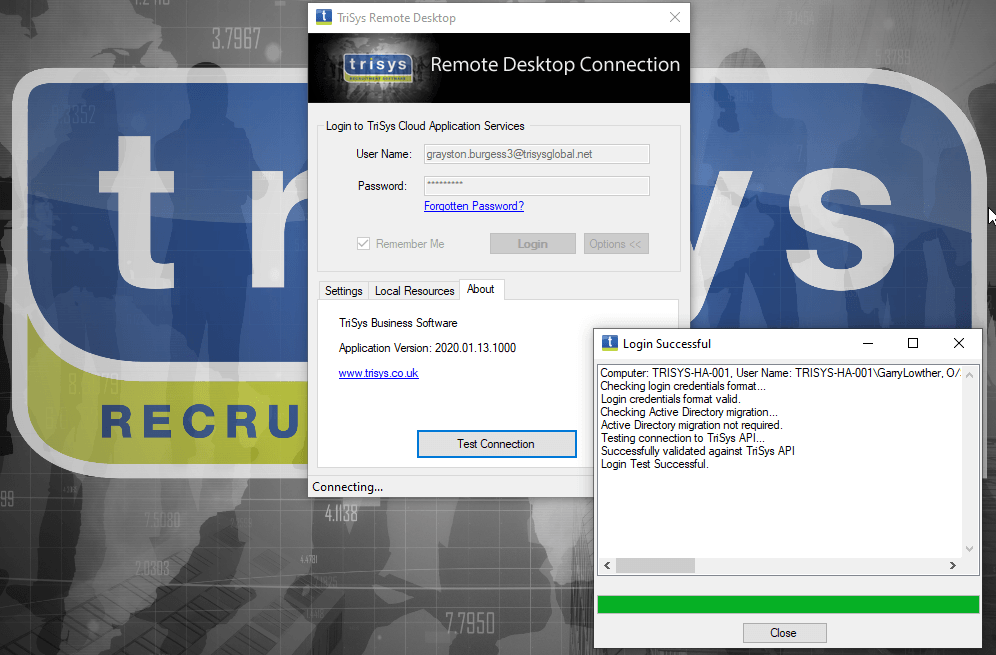
By installing the TriSys Remote Desktop Shortcut application onto your windows computer, you can quickly start and connect to your cloud remote desktop:
This video shows how to login
to your remote desktop from our support portal, start TriSys Recruitment CRM, which upgrades itself automatically, then open a candidate record and associated CV in Microsoft Word.
Next Steps
Remote Desktop Video
Video: Remote Desktop Login
Please watch this video
to see how to connect from any device via your web browser and start and login to TriSys
in your remote desktop.
Datasheet
Read the remote desktop datasheet
The datasheet explains the key features of the TriSys Remote Desktop, preparing you to get maximum benefit from your subscription.
Install Desktop Shortcut
Install our Windows Application
Download and install the remote desktop shortcut application on your windows computer.
