
NEW OUTLOOK ADD-IN
From October 2026, we now have a 'New Outlook' specific add-in designed for Microsoft Outlook on the web and 'New Outlook' installed on Windows 11
Maximise Your E-Mail Productivity
The 'New Outlook' Add-In is designed specifically for TriSys Apex '26 to provide more interoperability between Outlook and TriSys, plus increased functionality taking advantage of the AI Assistant driven CV-Swift technology for extracting work history, education history, skills and executive summary.
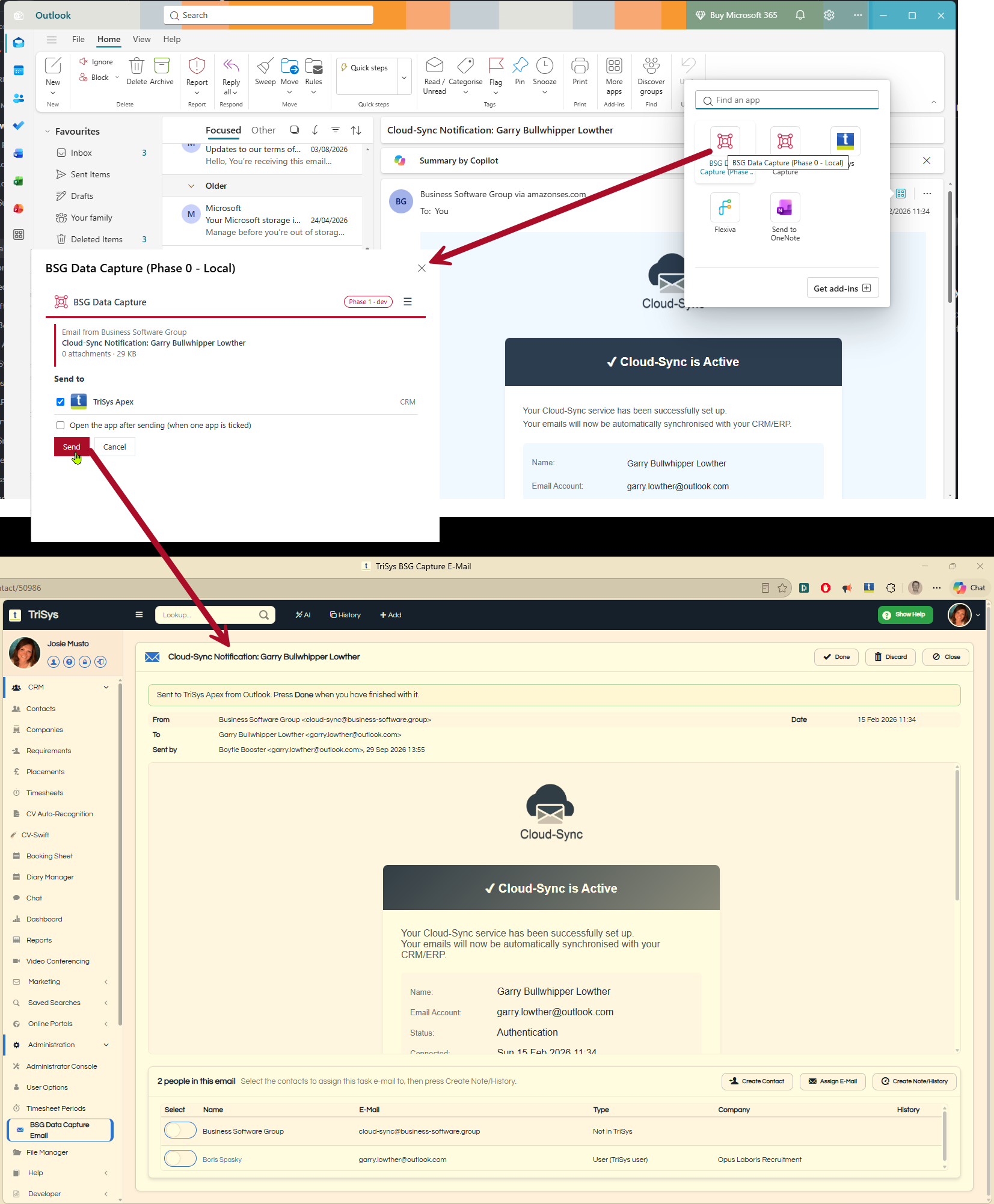
Your inbox, straight into TriSys Apex '26. Every day, the candidates, clients and opportunities your business runs on arrive by email, and too many of them never make it into your database. BSG Data Capture puts a button in Outlook that sends the email you're reading to TriSys Apex in a single click, attachments and all. It opens in Apex straight away, showing who it's from, who it was sent to, and whether each of them is already in TriSys. A CV attached to the email is a click away from CV-Swift or CV Auto-Recognition, and when you save the candidate, the email is filed to their history automatically. New contacts can be created from the people in the email, a new address can be added to a contact you already have, and one Note/History task files the email against everyone it concerns. No copying, no pasting, no retyping.
Set up in minutes, secure by design. BSG Data Capture runs in the new Outlook for Windows and Outlook on the web with Microsoft 365 or Outlook.com. There's nothing to install on your PC, and your IT team can roll it out to the whole company from one link. Registration is confirmed inside your own TriSys Apex with a one-time code, so only you can connect your mailbox to your database. Emails sent while you're away are kept safely and open the next time you log in. It's built and supported by Business Software Group, the team behind TriSys, as part of TriSys Apex '26.
Next Steps
User Guide
Read the user guide
Install Add-In
Install the Latest Outlook Add-In
Visit our installer page which describes the process of installing the Outlook Add-In for Microsoft 'New Outlook'.
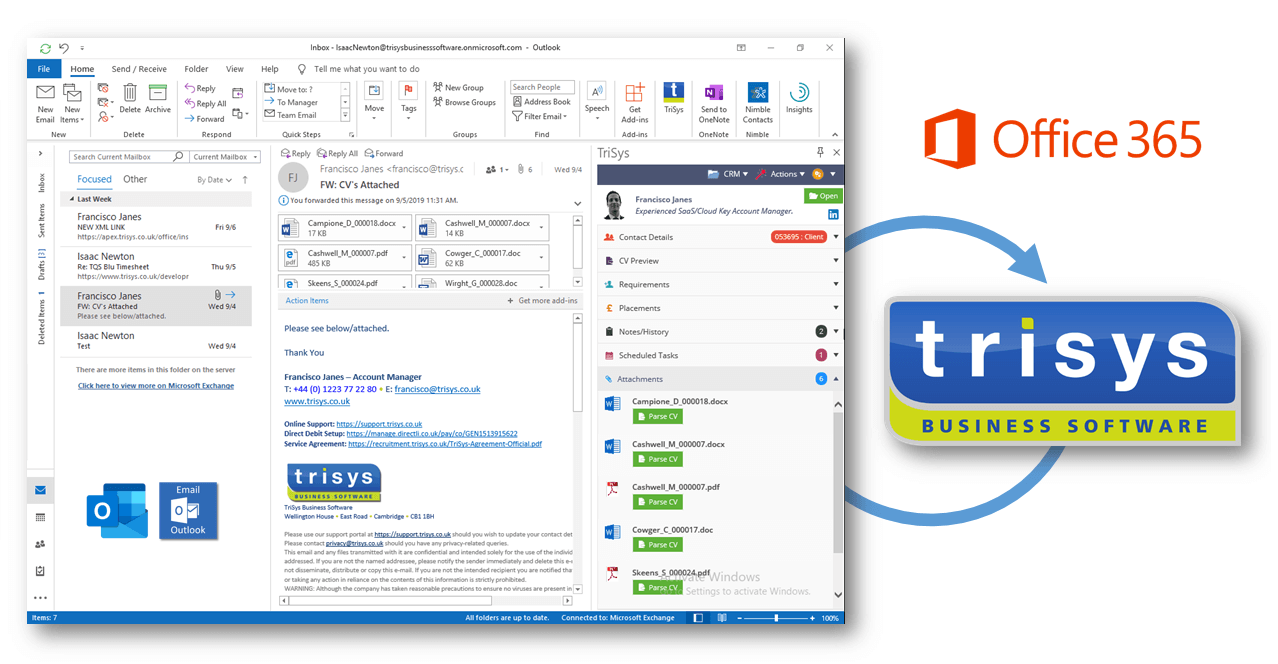
LEGACY OUTLOOK ADD-IN
Microsoft is continually enhancing its Outlook add-in framework, and as long term Microsoft partners, we support our customers using older/legacy versions of Outlook.